.png?width=250&height=38&name=GGMS%20Knowledge%20Base%20Logo%20(1).png)
What Is WordPress Admin?
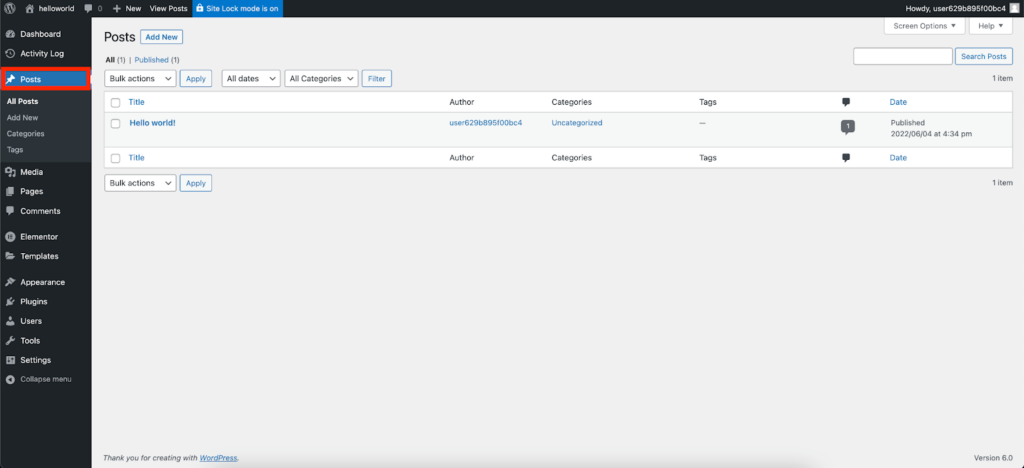
WordPress Admin (also called the WordPress Dashboard) is where you manage:
-
Pages and posts
-
Media (images and files)
-
Website settings
-
Plugins and themes
-
User access and permissions
You must access WordPress Admin before editing pages with tools like Elementor.
Recommended Resource: Elementor’s WordPress Admin Tour
Elementor provides a clear, beginner-friendly walkthrough of the WordPress dashboard, including what each menu item does and how it’s commonly used.
Read the guide here:
https://elementor.com/help/tour-wordpress-dashboard/
This resource covers:
-
The main dashboard layout
-
Pages vs posts
-
Media library basics
-
Appearance and plugins
-
Where Elementor fits into WordPress
When to Use This Resource
We recommend reviewing this guide if:
-
You’re new to WordPress
-
You’re unsure where to edit pages or site content
-
You’re about to start editing pages with Elementor
-
You want a refresher on WordPress navigation
Next Steps
After reviewing the WordPress Admin overview, you’ll be ready to:
-
Edit pages using Elementor
-
Upload and manage images
-
Navigate your site settings with confidence
If you need help accessing WordPress Admin or have questions, contact support@ggms.com.