.png?width=250&height=38&name=GGMS%20Knowledge%20Base%20Logo%20(1).png)
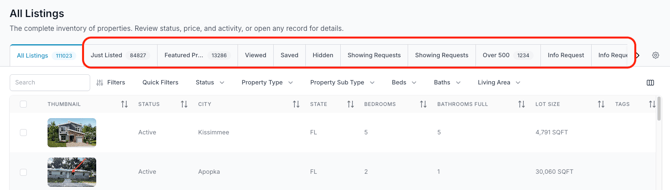
A collection in the GGMS CRM is a saved view of data that uses filters to show you exactly what you want to see, without changing the underlying records.
Collections exist throughout the platform — including Contacts, Listings, Inbox, Tasks, Templates, Workflows, and Forms. Wherever you can filter data, you can create a collection.
Think of a collection as:
-
A shortcut to a specific set of records
-
A reusable filter you don’t have to rebuild
-
A way to organize your workspace around how you work
How Collections Are Used
Collections are built using filters inside a section and then saved for later use.
For example:
-
In Contacts, you might save a collection that shows only new leads and keep it as a tab you check daily.
-
In Listings, you might create a collection for open houses or featured properties so they’re always easy to find.
-
In Tasks, you could save a collection that shows only priority tasks based on automation or website behavior.
Pinned vs. Unpinned Collections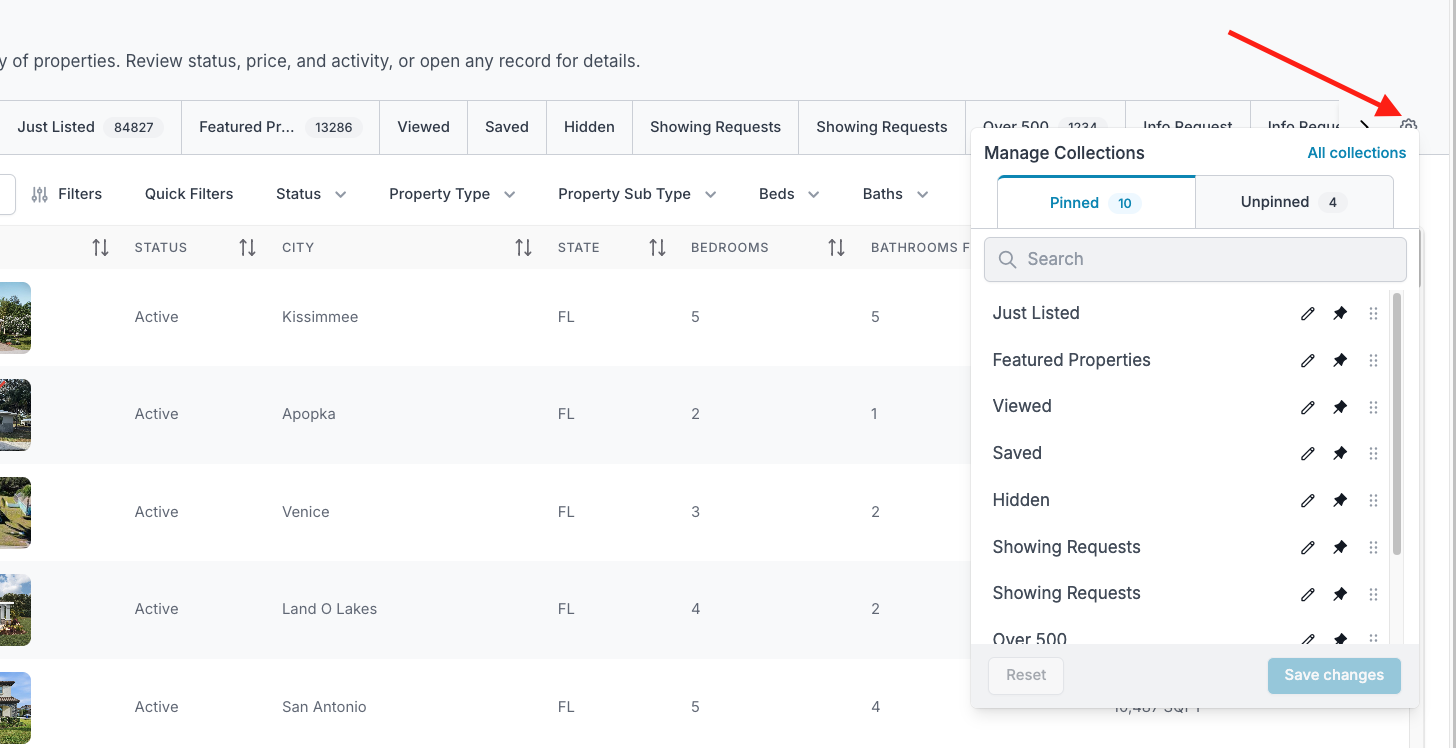

Collections can be either pinned or unpinned:
-
Pinned collections appear as tabs at the top of a page, giving you one-click access to views you use often.
-
Unpinned collections are saved in the background and can be accessed later when needed.
You can manage pinned and unpinned collections using the gear icon in the top-right corner of any section. (pictured above)
Viewing and Managing All Collections
If you want to see all collections across the entire platform, go to:
Settings → Collections
From there, you can:
-
Search for collections of all types (contacts, listings, tasks, and more)
-
Pin or unpin collections
-
Edit existing collections
-
Delete collections you no longer need
Why Collections Matter
Collections help you:
-
Reduce clutter
-
Focus on what matters most
-
Quickly return to commonly used views
-
Organize the CRM around your workflow instead of digging through everything
They don’t change or move data — they simply change how you view it.
Bottom line: collections help you work faster by saving the views you care about most.