.png?width=250&height=38&name=GGMS%20Knowledge%20Base%20Logo%20(1).png)
-
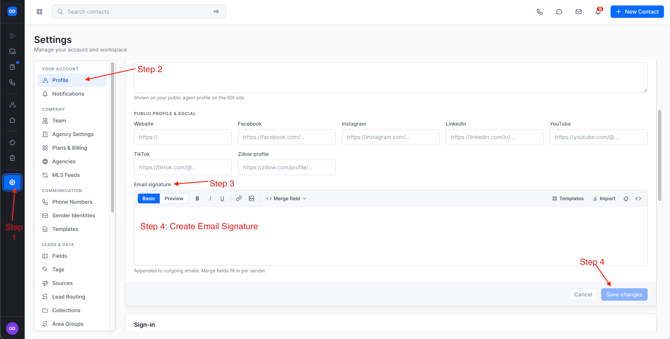
In the left-side panel, click Settings.
-
Select Profile.
-
Scroll down to the Email Signature section.
-
Make your updates to the signature as needed.
-
Click Save in the bottom-right corner to apply your changes.
Need More Help?
If this didn’t answer your question, create a support ticket using the button at the top of the page, and our team will be happy to help.