.png?width=250&height=38&name=GGMS%20Knowledge%20Base%20Logo%20(1).png)
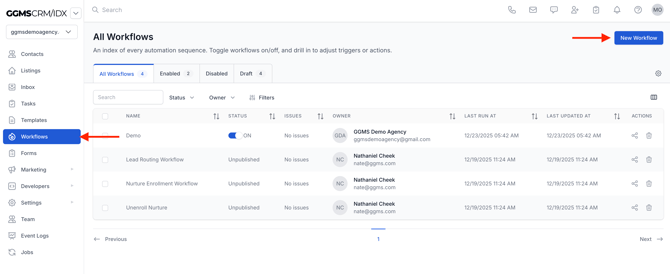
- In the left-side panel, click Workflows.
-
In the top-right corner, click New Workflow.
-
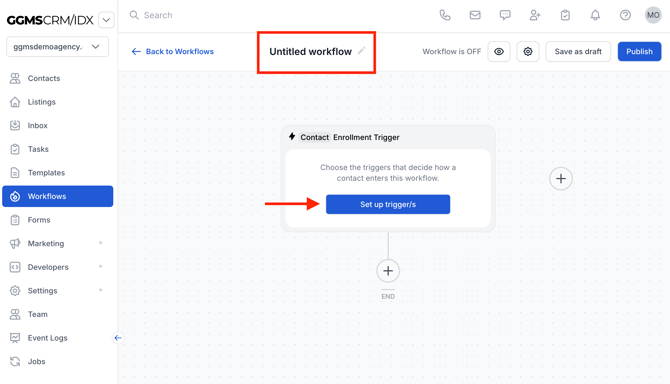
Enter a title for your workflow.
-
Select your first trigger to begin configuring the workflow.
-
Use Save as Draft if you’re not ready to activate it yet.
-
When finished, click Publish to deploy the workflow.
Need More Help?
If this didn’t answer your question, create a support ticket using the button at the top of the page, and our team will be happy to help.