.png?width=250&height=38&name=GGMS%20Knowledge%20Base%20Logo%20(1).png)
-
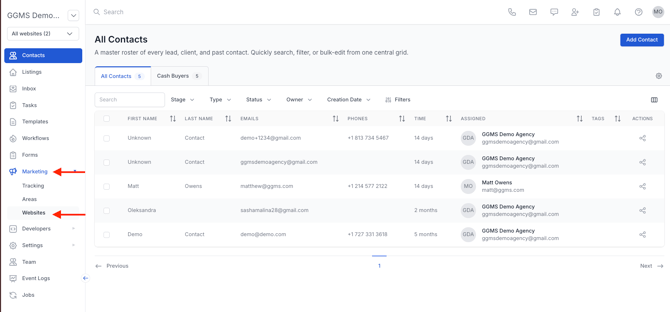
In the left-side panel, click Marketing.
-
Navigate to Websites.
-
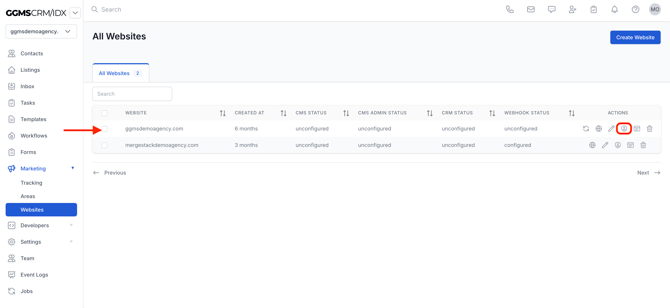
Select the domain you want to manage.
-
Click the Admin button (located next to the Website button).
-
Allow the page to load — this will open the WordPress backend for your site.
In the left-side panel, click Marketing.
Navigate to Websites.
Select the domain you want to manage.
Click the Admin button (located next to the Website button).
Allow the page to load — this will open the WordPress backend for your site.