
Locate Workflows
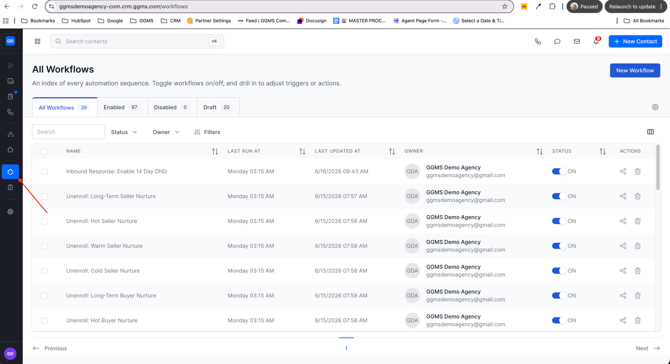
- From the left-hand menu, click the Workflows Icon
- Listed on this screen will be all current workflows that are inside your CRM
Creating A Workflow
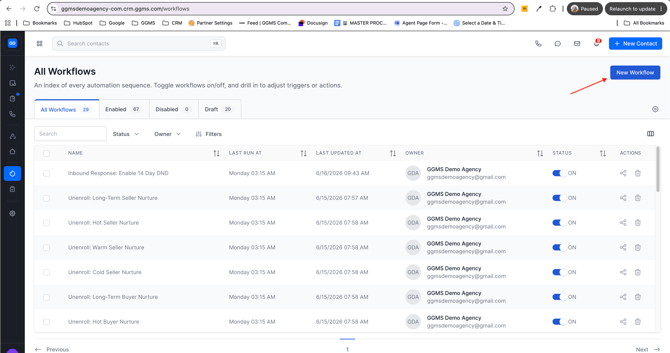
Step 1: New Workflow Button
- In the upper left side of the screen, locate the "New Workflow" button and click
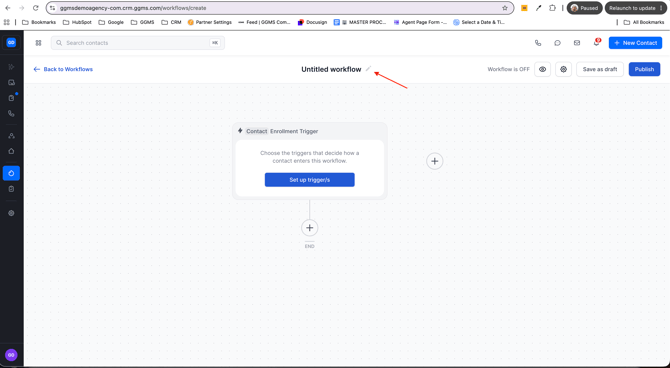
Step 2: Name The Workflow
- Inside the workflow screen, at the top of the screen, update "Untitled Workflow" using the pencil icon
Step 3: Choose A Trigger
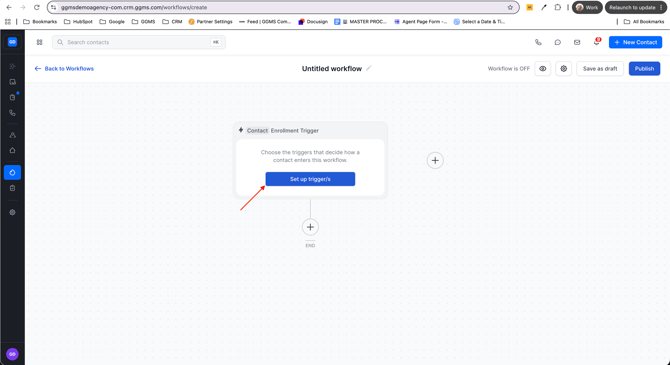
- Click the "Set up Triggers" button
- Choose:
- The trigger that will initiate the workflow to be applied to a contact
Step 4: Create An Action
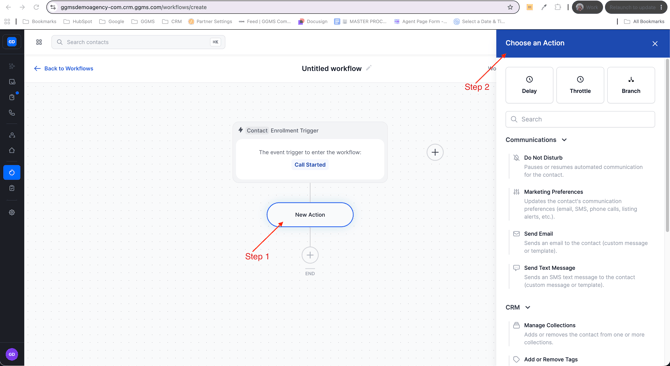
- After a trigger is selected, you will then select "New Action"
- Select the action you would like to take place
- You can also choose if you would like to use the following actions:
- Delay
- Throttle
- Branch
- You can also choose if you would like to use the following actions:
- Select the action you would like to take place
- Repeat this step until all steps of your workflow are completed
Step 5: Publish
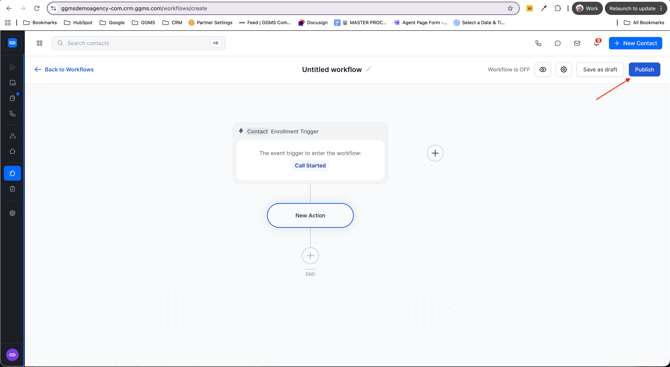
- In the upper right corner, locate the "Publish" button and select
Need Help?
If you have any questions or need assistance setting up lead routing, please reach out to support@ggms.com