
Step-by-Step Instructions
1. Log in to the CRM
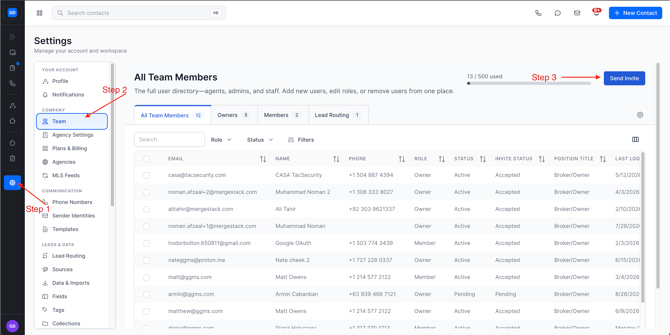
2. Navigate to Settings
- Click Settings
- Select Team
3. Send Invite
- Click the Send Invite button in the upper right corner
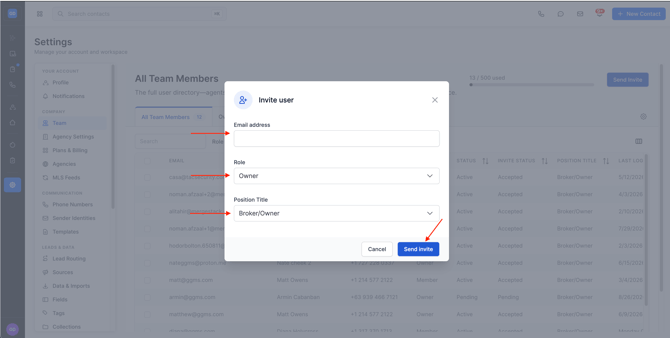
- Add Users Email Address (this will be their login email)
- Pick Role Permission
- Pick Position/Title
- Click Send Invite in the bottom right corner
Need Help?
If you run into any issues, reach out to:
support@ggms.com